
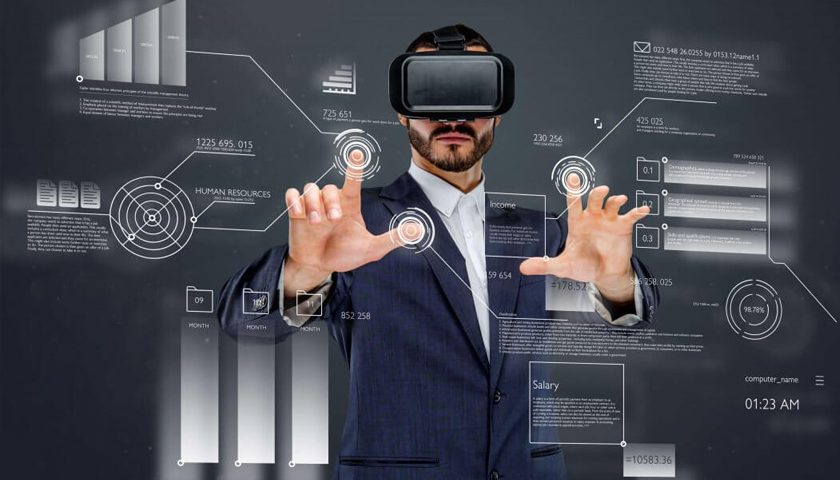
Augmented Reality vs. Virtual Reality for Business: Choosing Your Next Immersive Frontier
In today's rapidly evolving digital landscape, businesses are constantly seeking cutting-edge technologies to enhance operations, boost customer engagement, and drive innovation. Among the most transformative are augmented reality (AR) and virtual reality (VR). These immersive technologies are often grouped under the umbrella of extended reality (XR), but understanding their distinct characteristics and unique applications is crucial for strategic business adoption. This comprehensive guide, crafted by an SEO expert with a deep understanding of enterprise technology, will dissect the nuances of augmented reality vs. virtual reality for business, empowering you to make informed decisions that propel your organization forward.
Understanding the Core Concepts: AR vs. VR
While both AR and VR aim to create immersive experiences, they achieve this through fundamentally different mechanisms. Grasping these distinctions is the first step towards leveraging their full potential for your business.
What is Augmented Reality (AR)?
Augmented Reality enhances the real world by overlaying digital information onto it. Unlike VR, AR does not replace your view of reality; instead, it adds virtual elements, such as images, videos, 3D models, or interactive data, directly into your live environment. This is typically experienced through smartphones, tablets, or specialized AR glasses.
- Real-world integration: AR maintains your connection to the physical world.
- Interactive overlays: Digital content appears as if it exists within your surroundings.
- Accessibility: Often accessible via common devices like smartphones, making it highly scalable.
- Key Use Cases: Navigation, product visualization, interactive marketing, remote assistance, on-site training.
What is Virtual Reality (VR)?
Virtual Reality, on the other hand, creates an entirely simulated environment that transports the user to a completely different, often artificial, world. It achieves this by blocking out the physical world and presenting a fully immersive, 360-degree digital experience, usually through a head-mounted display (HMD).
- Full immersion: Replaces your real-world view with a digital one.
- Simulated environments: Can be realistic simulations or fantastical worlds.
- Required hardware: Typically requires VR headsets (e.g., Meta Quest, HTC Vive, PlayStation VR) for the full experience.
- Key Use Cases: Employee training simulations, virtual tours, product design reviews, therapeutic applications, entertainment.
Key Differences and Their Business Implications
The fundamental distinction between overlaying and replacing reality leads to significant differences in how AR and VR are best applied in a business context. Understanding these will help you align the technology with your specific strategic goals.
Interaction with the Environment
- AR: Users interact with digital content within their physical environment. This makes it ideal for tasks requiring spatial awareness or real-time data access while performing physical tasks. Think of a technician using AR glasses to view schematics directly on a machine they are repairing.
- VR: Users are fully immersed in a virtual environment, detached from their physical surroundings. This is perfect for creating controlled, distraction-free training scenarios or exploring complex designs without physical constraints. Consider a surgeon practicing a procedure in a simulated environment.
Hardware Requirements and Accessibility
- AR: Often accessible via everyday devices like smartphones and tablets, making it highly scalable and less expensive for initial deployment. Dedicated AR glasses are emerging but are not yet as ubiquitous. This broad accessibility lowers the barrier to entry for many businesses looking to integrate digital transformation tools.
- VR: Requires dedicated headsets, which can be a higher upfront investment per user. While prices are dropping, the need for specialized hardware means deployment often focuses on specific use cases or dedicated spaces.
User Experience and Presence
- AR: Provides a sense of "presence" in the real world, augmented by digital information. It's about enhancing reality, not escaping it. This is powerful for customer engagement where products can be virtually placed in a user's home before purchase.
- VR: Aims for a complete sense of "presence" within the virtual world, making users feel like they are truly there. This deep immersion is invaluable for experiential learning or remote collaboration where physical presence is impossible.
Augmented Reality for Business: Practical Applications
AR's ability to seamlessly blend digital information with the physical world makes it a powerful tool for enhancing efficiency, improving service, and creating innovative marketing experiences.
1. Enhanced Training and Onboarding
AR can provide contextual, on-the-job training. Employees can wear AR glasses that overlay instructions or safety warnings directly onto equipment they are operating, reducing errors and speeding up learning curves. This is particularly effective in manufacturing, logistics, and healthcare.
- Guided Procedures: Step-by-step instructions overlaid onto machinery.
- Remote Assistance: Expert technicians can guide on-site staff remotely, seeing what they see.
- Skill Development: Practical, hands-on learning without the need for physical prototypes.
2. Product Visualization and Retail
For retailers and manufacturers, AR revolutionizes how customers interact with products. Customers can use their smartphones to virtually place furniture in their homes, try on clothes, or see how a new appliance would look in their kitchen before buying. This significantly improves product visualization and reduces return rates.
- "Try Before You Buy": Virtual product placement in real environments.
- Interactive Catalogs: 3D models of products viewable from all angles.
- Personalized Shopping: AR filters for virtual try-ons.
3. Field Service and Maintenance
Technicians can use AR to access schematics, repair manuals, or expert guidance while working on complex equipment. This reduces downtime, improves first-time fix rates, and enhances the overall efficiency of supply chain optimization and maintenance operations.
- Digital Overlays: Real-time data and instructions superimposed on machinery.
- Expert Collaboration: Remote experts can annotate a technician's view in real-time.
- Troubleshooting: Faster diagnosis of issues with visual aids.
4. Marketing and Experiential Campaigns
AR offers unique opportunities for experiential marketing, creating memorable and shareable brand interactions. From interactive billboards to AR-powered scavenger hunts, businesses can engage consumers in novel ways.
- Interactive Advertisements: AR filters on social media, interactive print ads.
- Brand Storytelling: Immersive narratives that bring products to life.
Virtual Reality for Business: Strategic Applications
VR's strength lies in its ability to create completely controlled, immersive environments, making it invaluable for simulations, remote collaboration, and highly specialized training.
1. Immersive Training and Simulations
VR is unparalleled for high-fidelity training simulations in industries where real-world training is dangerous, expensive, or impractical. This includes pilot training, surgical simulations, emergency response drills, and even customer service role-playing. The ability to fail safely in a simulated environment accelerates learning and reduces risks.
- Safety Training: Practicing hazardous procedures without real-world risk.
- Skill Refinement: Repetitive practice of complex tasks.
- Onboarding: Immersive tours of facilities or company culture experiences for new hires.
- Internal Link Suggestion: For a deeper dive into this, explore our guide on virtual reality training solutions.
2. Product Design and Prototyping
Engineers and designers can use VR to visualize, interact with, and refine 3D models of products or architectural designs at scale. This allows for early detection of design flaws, faster iteration cycles, and significant cost savings by reducing the need for physical prototypes.
- Virtual Walkthroughs: Experiencing architectural designs before construction.
- Collaborative Design Reviews: Multiple stakeholders can virtually inspect a product together.
- Ergonomic Testing: Simulating user interaction with a product.
3. Remote Collaboration and Virtual Workspaces
As remote work becomes more prevalent, VR offers a compelling solution for remote collaboration. Virtual meeting rooms allow teams to interact with 3D models, whiteboards, and presentations as if they were physically together, fostering a stronger sense of presence and engagement than traditional video conferencing.
- Virtual Meeting Spaces: Immersive environments for remote teams.
- Interactive Whiteboards: Collaborative brainstorming in 3D.
- Global Team Engagement: Bridging geographical distances for effective teamwork.
4. Customer Experience and Sales
VR can provide unique customer engagement experiences, such as virtual tours of properties, destinations, or complex products. For high-value sales, a virtual showroom can allow potential buyers to explore configurations and features in a deeply immersive way.
- Virtual Showrooms: Explore product lines in a 3D environment.
- Destination Previews: Immersive tours for travel and tourism.
Choosing the Right Immersive Technology for Your Business
The decision between AR and VR isn't about which technology is "better," but rather which is "better suited" for your specific business challenge. A strategic approach considers your goals, target users, and existing infrastructure.
Consider Your Business Goals:
- Do you need to enhance real-world tasks or provide new information in context? AR is likely your answer. Examples: guiding field technicians, overlaying data in a factory, virtual product try-ons.
- Do you need to create a controlled, distraction-free environment for training or design? VR is the strong contender. Examples: pilot training, surgical simulations, virtual product prototyping, remote team meetings.
- Is widespread accessibility on common devices a priority? AR, especially mobile AR, offers easier entry.
- Is deep immersion and a strong sense of "being there" critical for your application? VR excels here.
Assess Your Target Audience and User Experience:
- Field workers, retail customers, maintenance staff: AR often provides immediate, practical utility without requiring users to disengage from their surroundings.
- Trainees, designers, remote collaborators: VR offers a dedicated, immersive space for focused work or learning.
- Internal Link Suggestion: To optimize your overall digital transformation strategy, consider how these technologies integrate with your existing systems.
Evaluate Infrastructure and Budget:
While AR can leverage existing smartphones, complex AR solutions or dedicated AR glasses may require significant investment. VR headsets also represent a per-unit cost. Consider the return on investment (ROI) for each technology based on your projected use cases and the value they bring.
- Scalability: Mobile AR is generally easier to scale across a large user base.
- Development Costs: Both require specialized development, but the complexity can vary greatly.
- Hardware Costs: VR typically has higher per-user hardware costs.
Actionable Tips for Adopting AR/VR in Your Enterprise
Implementing immersive technologies requires careful planning and a phased approach. Here are some practical tips for successful adoption:
- Start Small, Think Big: Identify a specific, high-impact use case as a pilot project. This allows you to learn, iterate, and demonstrate value before a wider rollout.
- Define Clear KPIs: What do you want to achieve? Reduced training time? Increased sales conversions? Improved efficiency? Measure your success rigorously to prove return on investment (ROI).
- User-Centric Design: The technology must serve the user, not the other way around. Ensure the experience is intuitive, comfortable, and truly solves a problem for your employees or customers.
- Partner with Experts: Developing sophisticated AR/VR applications often requires specialized skills. Consider collaborating with experienced development studios or consultants.
- Address Data Security & Privacy: Both AR and VR can involve collecting significant data. Ensure robust protocols for data privacy and security are in place.
- Plan for Integration: Consider how AR/VR solutions will integrate with your existing enterprise systems (CRM, ERP, PLM). Seamless data flow is critical for maximizing value.
Frequently Asked Questions
What is the difference between AR, VR, and MR (Mixed Reality)?
Augmented Reality (AR) overlays digital content onto the real world, enhancing it. You still see your physical surroundings. Virtual Reality (VR) creates a completely immersive, simulated environment, blocking out the real world. Mixed Reality (MR) is a more advanced form of AR that allows for real-time interaction between digital objects and the physical world. Unlike simple AR overlays, MR digital objects can respond to and be affected by physical objects, creating a truly blended reality. MR often requires specialized headsets with advanced sensors for spatial mapping and interaction.
Which is more expensive to implement for business, AR or VR?
The cost varies significantly based on the complexity of the application, required hardware, and development efforts. Generally, basic mobile AR applications can be less expensive to develop and deploy due to widespread smartphone accessibility. However, sophisticated AR solutions using dedicated AR glasses can be quite costly. VR typically requires specialized headsets, which represent a significant hardware investment per user, potentially making large-scale VR deployments more expensive upfront. Development costs for highly realistic or complex simulations can be substantial for both.
Can AR and VR be used together in a business setting?
Absolutely. Businesses are increasingly exploring extended reality (XR) strategies that leverage the strengths of both AR and VR. For example, a manufacturing company might use VR for comprehensive employee training simulations on new machinery, and then use AR on the factory floor to provide real-time instructions and data overlay for maintenance or assembly tasks. This synergistic approach allows businesses to capitalize on the unique benefits of each technology for different phases or aspects of their operations, driving holistic digital transformation.

0 Komentar