
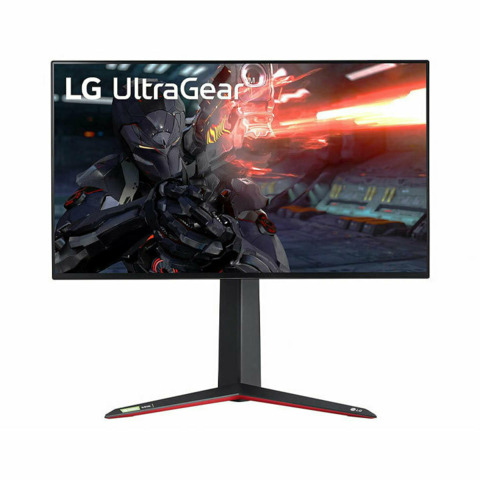
Unlocking Next-Gen Brilliance: The Best Gaming Monitors for PS5 and Xbox Series X
Are you ready to truly unleash the power of your PlayStation 5 or Xbox Series X? Choosing the best gaming monitors for PS5 and Xbox Series X is not merely an upgrade; it's a fundamental shift in your gaming experience. These next-generation consoles demand displays that can keep pace with their advanced capabilities, offering stunning 4K visuals, buttery-smooth 120Hz refresh rates, and incredibly low input lag. This comprehensive guide will navigate the complex world of gaming displays, ensuring you select a monitor that perfectly complements your console, delivering unparalleled visual fidelity and competitive edge. Dive in to discover the essential features and top recommendations that will transform your console gaming setup.
Why Your Current Monitor Might Not Be Enough for Next-Gen Consoles
Many gamers, upon upgrading to a PS5 or Xbox Series X, quickly realize their existing display is a bottleneck. Older monitors, while perhaps adequate for previous generations or PC gaming, often lack the crucial specifications required to fully exploit the power of these new consoles. Understanding these limitations is the first step towards an informed purchase.
The Critical Role of HDMI 2.1
- Bandwidth Demands: The single most vital feature for any next-gen console monitor is HDMI 2.1 connectivity. Unlike its predecessor, HDMI 2.0, which maxes out at 4K resolution at 60Hz, HDMI 2.1 provides the massive bandwidth (48 Gbps) necessary to transmit 4K gaming at 120Hz. Without HDMI 2.1, you simply cannot experience the full visual and performance potential of your PS5 or Xbox Series X in supported titles.
- Variable Refresh Rate (VRR): HDMI 2.1 also natively supports Variable Refresh Rate (VRR), a game-changing technology that synchronizes the monitor's refresh rate with the console's frame rate. This eliminates screen tearing and reduces stuttering, resulting in an incredibly smooth and fluid gameplay experience, especially during frame rate fluctuations. Both consoles support VRR, making it a must-have feature for serious gamers.
- Auto Low Latency Mode (ALLM): Another benefit of HDMI 2.1 is ALLM, which automatically switches your display to its lowest latency mode when a game is detected, minimizing input lag without manual intervention. This is crucial for competitive gaming where every millisecond counts.
Key Features to Prioritize for Optimal Console Gaming
When searching for the best gaming monitors for PS5 and Xbox Series X, focusing on specific technical specifications will ensure you get the most out of your investment. These are the non-negotiables for a truly next-gen experience:
Display Resolution: 4K (UHD) vs. 1440p (QHD)
- 4K (3840x2160): For the ultimate visual fidelity, 4K resolution is the gold standard. It offers incredible sharpness and detail, making games look breathtakingly realistic. Both consoles are designed for 4K output, and many titles run natively at this resolution or utilize clever upscaling techniques to achieve a crisp image.
- 1440p (2560x1440): While 4K is ideal, 1440p monitors offer an excellent balance between visual quality and performance, often at a more accessible price point. The PS5 recently received an update to natively support 1440p output, making these monitors a viable and popular choice. Xbox Series X has supported 1440p for a while. If hitting 120fps is a higher priority than absolute pixel count, 1440p can be a smart choice, as it's less demanding to drive at higher frame rates.
Refresh Rate and Response Time: Smoothness and Responsiveness
The fluidity of your gameplay hinges on these two critical metrics:
- Refresh Rate (Hz): For next-gen consoles, a 120Hz refresh rate is the minimum you should aim for. This allows games that support 120 frames per second (fps) to be displayed at their intended smoothness, providing a significant advantage in fast-paced titles like first-person shooters or racing games. While some PC monitors offer 144Hz, 165Hz, or even 240Hz, consoles are currently capped at 120Hz for 4K output.
- Response Time (GtG): A low Grey-to-Grey (GtG) response time is crucial to minimize motion blur and ghosting. Look for monitors with a 1ms GtG response time or lower. This ensures that pixels change color quickly enough to keep up with fast-moving images, resulting in a clear and crisp picture even during intense action sequences. Anything above 4ms GtG can introduce noticeable blur, detracting from the competitive gaming experience.
High Dynamic Range (HDR): Visual Immersion
HDR dramatically enhances the contrast and color accuracy of your display, making highlights brighter and shadows deeper, with a wider range of colors. This leads to a more immersive and lifelike visual experience. When evaluating HDR capabilities, look for VESA DisplayHDR certifications:
- DisplayHDR 400: Entry-level HDR, offers a noticeable but subtle improvement.
- DisplayHDR 600: Provides a more impactful HDR experience with brighter highlights.
- DisplayHDR 1000 or True Black: Offers exceptional HDR performance, often found on premium mini-LED or OLED monitors, delivering stunning contrast and vibrant colors. True Black is specific to OLEDs, indicating perfect black levels.
Choosing the Right Panel Type for Your Gaming Style
The type of display panel significantly impacts image quality, viewing angles, and response times. Each has its pros and cons:
IPS (In-Plane Switching) Panels
- Pros: Excellent color accuracy, wide viewing angles, and good response times. IPS monitors are a versatile choice, great for both gaming and content consumption.
- Cons: Can suffer from "IPS glow" (light bleed from corners) and typically have lower contrast ratios compared to VA or OLED.
VA (Vertical Alignment) Panels
- Pros: Superior contrast ratios and deeper blacks than IPS, making them great for immersive, atmospheric games. Often more affordable for larger sizes.
- Cons: Can have slower response times, leading to noticeable "ghosting" or "smearing" in fast-moving scenes, especially at lower refresh rates. Viewing angles are also narrower than IPS.
OLED (Organic Light-Emitting Diode) Panels
- Pros: The pinnacle of display technology for gaming. Each pixel emits its own light, resulting in infinite contrast, perfect blacks, incredibly vibrant colors, and near-instantaneous response times (0.1ms GtG). This delivers an unparalleled visual experience.
- Cons: Generally the most expensive option. There's also a theoretical risk of "burn-in" (image retention) with static elements over long periods, though modern OLEDs have sophisticated mitigation technologies.
Additional Considerations for Your PS5/Xbox Monitor Setup
Screen Size and Ergonomics
For console gaming at a desk, 27-inch to 32-inch monitors are generally considered the sweet spot for 4K resolution. Larger sizes might be overwhelming up close, while smaller ones might not fully showcase the detail of 4K. Consider adjustable stands for tilt, swivel, and height, which are crucial for long gaming sessions and ergonomic comfort.
Built-in Speakers vs. External Audio
While many monitors include built-in speakers, their audio quality is often subpar. For a truly immersive experience, invest in a good gaming headset or external speakers. Ensure your monitor has an audio output jack if you plan to connect external speakers directly.
Input Lag: The Unsung Hero of Responsiveness
Distinct from response time, input lag measures the delay between your action (e.g., pressing a button) and that action appearing on screen. Lower is always better. While not always listed as a spec, look for monitors advertised for "low input lag" or those with a "Game Mode" that optimizes settings for minimal delay. Reputable reviews will often provide detailed input lag measurements.
Actionable Tips for Choosing Your Ideal Monitor
- Set Your Budget: HDMI 2.1 4K 120Hz monitors can range from moderately expensive to premium. Determine your budget first, as it will significantly narrow down your options.
- Prioritize HDMI 2.1: Do not compromise on this. Without it, you're not getting the full next-gen experience. Ensure it's HDMI 2.1, not just "HDMI."
- Aim for 120Hz Refresh Rate: This is crucial for competitive gaming and the fluidity of supported titles.
- Look for VRR Support: Whether it's FreeSync Premium Pro (compatible with both consoles) or G-Sync Compatible (also works well), VRR is essential for tear-free gameplay.
- Consider HDR Level: If HDR is important to you, aim for DisplayHDR 600 or higher for a noticeable impact. OLEDs offer the best HDR.
- Read Professional Reviews: Don't just rely on marketing specs. Consult in-depth reviews from trusted tech sites that test input lag, response time, and HDR performance thoroughly.
- Check Connectivity: Besides HDMI 2.1, consider if you need USB ports for peripherals or a USB-C port for other devices.
- Future-Proofing: While 120Hz is the current console cap, a monitor with a higher refresh rate (e.g., 144Hz or 165Hz) offers more flexibility if you ever connect a high-end PC or if future console iterations push beyond 120Hz.
Common Pitfalls to Avoid When Buying a Next-Gen Console Monitor
- Confusing HDMI 2.0 with HDMI 2.1: Many older 4K monitors have HDMI 2.0. While they display 4K, they are limited to 60Hz, negating the 120fps capabilities of PS5/Xbox Series X. Always double-check for "HDMI 2.1."
- Ignoring VRR: While not every game hits a perfect 120fps, VRR ensures smooth performance even when frame rates fluctuate, making it a critical feature for a consistently enjoyable experience.
- Overspending on Unnecessary Features: Don't pay a premium for features like 240Hz+ refresh rates if you only plan to use it with a console, as the consoles cannot utilize these higher rates at 4K.
- Neglecting Panel Type Differences: Understand the trade-offs between IPS, VA, and OLED to pick one that aligns with your priorities (e.g., color accuracy vs. contrast vs. ultimate performance).
- Forgetting About Ergonomics: A monitor with a fixed stand can lead to discomfort during long gaming sessions. Adjustable stands are a worthwhile investment for your health and comfort.
Frequently Asked Questions
What is the most important feature for a gaming monitor for PS5 and Xbox Series X?
Without a doubt, the most important feature is HDMI 2.1 connectivity. This enables 4K resolution at 120Hz refresh rate, along with Variable Refresh Rate (VRR) and Auto Low Latency Mode (ALLM), which are all crucial for unlocking the full potential of your next-gen console and delivering the smoothest, most responsive gaming experience. Without HDMI 2.1, you are limited to 4K 60Hz or lower resolutions for 120Hz output.
Do I really need a 4K monitor for my PS5 or Xbox Series X?
While a 4K monitor is highly recommended for the best visual fidelity and to fully leverage the consoles' design intent, it's not strictly "needed" if budget is a primary concern. A 1440p monitor with HDMI 2.1 and 120Hz support can provide an excellent gaming experience, especially since PS5 now natively supports 1440p. However, for the sharpest images and most immersive visuals, a 4K display is the superior choice.
What is VRR and why is it important for console gaming?
VRR, or Variable Refresh Rate, is a technology that dynamically synchronizes the monitor's refresh rate with the console's frame rate. This eliminates screen tearing (where parts of different frames are displayed simultaneously) and reduces stuttering caused by frame rate drops. For fast-paced games where frame rates can fluctuate, VRR ensures a much smoother and more fluid visual experience, contributing significantly to a more enjoyable and competitive gaming session.
Is an OLED monitor worth the extra cost for PS5 and Xbox Series X?
For the ultimate visual experience, an OLED monitor is absolutely worth the extra cost if your budget allows. OLED panels offer infinite contrast, perfect blacks, and near-instantaneous response times, leading to unparalleled image quality and motion clarity. They deliver the most vibrant colors and impactful HDR, making games look incredibly lifelike. While concerns about burn-in exist, modern OLEDs have advanced features to mitigate this risk, making them an excellent premium choice for discerning gamers.
Can I use a gaming monitor as a TV replacement for my console?
Yes, many gamers use larger gaming monitors (e.g., 32-inch or even 42-inch OLEDs) as dedicated displays for their consoles, effectively replacing a traditional TV in a smaller setup. Monitors often offer superior response times and lower input lag compared to TVs in the same price bracket, making them excellent for competitive gaming. However, monitors typically lack built-in smart TV features or a TV tuner, and their speakers are usually inferior, so external audio solutions are often necessary for a complete entertainment experience.

0 Komentar